
Resupply faster and never run out of stock
From RFQs to receipts, from product variants to vendor bills… kick back and let Odoo’s all-in-one procurement software do the work for you.
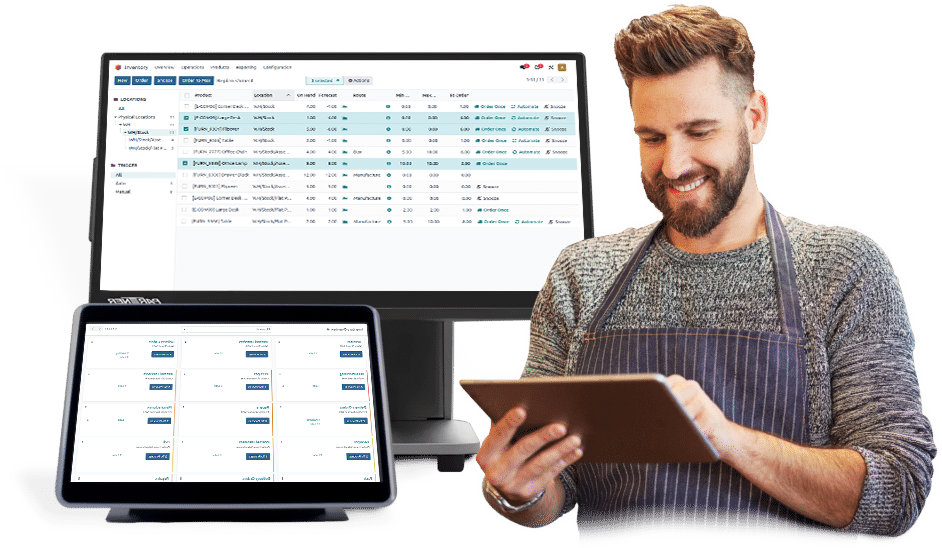
Order new stock right from your inventory tracking system
Running low? Order new stock directly from NoveTap Retail.
Speed
- Manage products across assembly lines or through manual assembly processes
- Start producing the required components for final product assembly
- Use barcode scanning (batch or serial number) to accelerate manufacturing operations such as start, pause, stop, maintenance requests, or moving to the next step
- Manage repairs for items under warranty or service agreements
Request for Quotations
- View the full production plan and easily reschedule manufacturing operations
- Access all available resources and plan production lines in advance
- Track the availability of required materials in stock and production timelines
- Use smart scheduling tools to plan material requirements for each work center based on equipment efficiency and capacity
Order Management
Multi-Level Bills of Materials
Create multi-level Bills of Materials (BoM) with the ability to define sub-components within other products.
Flexible Routing
Define custom routing paths for work orders to organize production workflows efficiently.
Version Control
Manage product versions and apply updates with full control over changes during order creation.
Kitting
Bundle products for sales using kitting, allowing delivery as grouped components.
Invoicing Management
Expense Records
Review employee notes for expense validation, approve or reject them, and add comments when needed
Expense & Receipt Matching
Automatically generate draft invoices from sales orders, subscriptions, or delivery operations.
Accounting Integration
Create automatic accounting entries directly from customer and vendor invoices.
Sales & Credit Limits
Trigger alerts when customers exceed their credit limits during invoicing.
Multi-Currency Support
Handle multiple currencies with automatically updated exchange rates.
Analytics & Forecasting
Online Payments
Enable customers to pay online using multiple payment methods.
Customer Accounts
Allow customers to view, download, and pay invoices, track order status, and communicate easily.
Invoice Digitization
Automatically convert invoices (PDF or images) into structured system data.
Automated Follow-Ups
Ensure timely payments with automated emails, SMS notifications, and reminders.
Mobile Payments
Enable QR code payments for fast and easy mobile transactions.
Multi-Company Management
User Interface
A simple and intuitive interface with advanced filtering options for a clear overview of operations.
Mobile Access
Fully integrated mobile experience that allows managing operations anytime, anywhere.
Customer Segmentation
Automatically classify customers based on their transaction behavior.
Ease of Use
Simplify workflows and manage tasks with minimal effort.
Activity Planning
Plan and schedule tasks efficiently for better productivity.
Integration
Expense Records
Review and manage expense data with approval workflows and notes.
Expense & Receipt Matching
Automatically generate invoices from related operations such as sales and deliveries.
Accounting Integration
Synchronize operations directly with accounting for accurate financial tracking.
Sales & Credit Limits
Monitor and control customer credit limits with automated alerts.
Multi-Currency Support
Handle transactions across currencies with real-time exchange rates.
Journal Entries
Manage daily accounting entries with precision and control.
Reporting
Online Payments
Provide flexible online payment options for customers.
Customer Accounts
Enable customers to manage invoices and payments through a secure portal.
Invoice Digitization
Automatically process uploaded invoices (PDF/images) into system-ready data.
Automated Follow-Ups
Send reminders and notifications to ensure timely collections.
Mobile Payments
Support QR code payments for fast and seamless mobile transactions.